From evidence to reviewed output
One platform for complex and high-volume disputes and subject access requests. Evidence analysis, human-verifiable assessments, drafting and reporting, with your team in control.
Purpose-built for casework
Analyse evidence, verify the assessment and prepare the response. Apply the workflow and guidance for your sector and request type.
Request a demoCore casework functionality
Make sense of the evidence
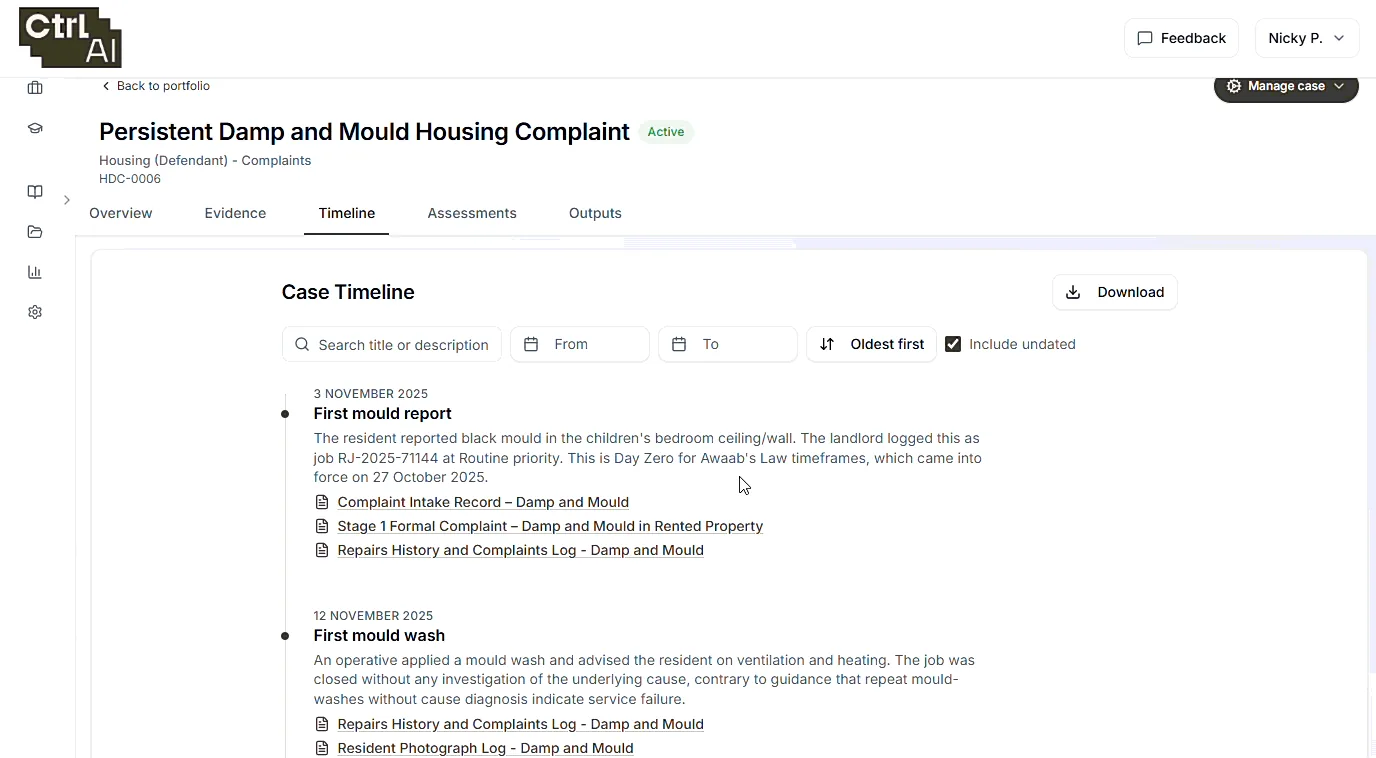
Bring documents and correspondence into a searchable record. Build a chronology, follow sources and surface the questions that need attention.
- Evidence processing and organisation
- Chronology and source references
- Questions against the case record
Your framework.
A consistent starting point
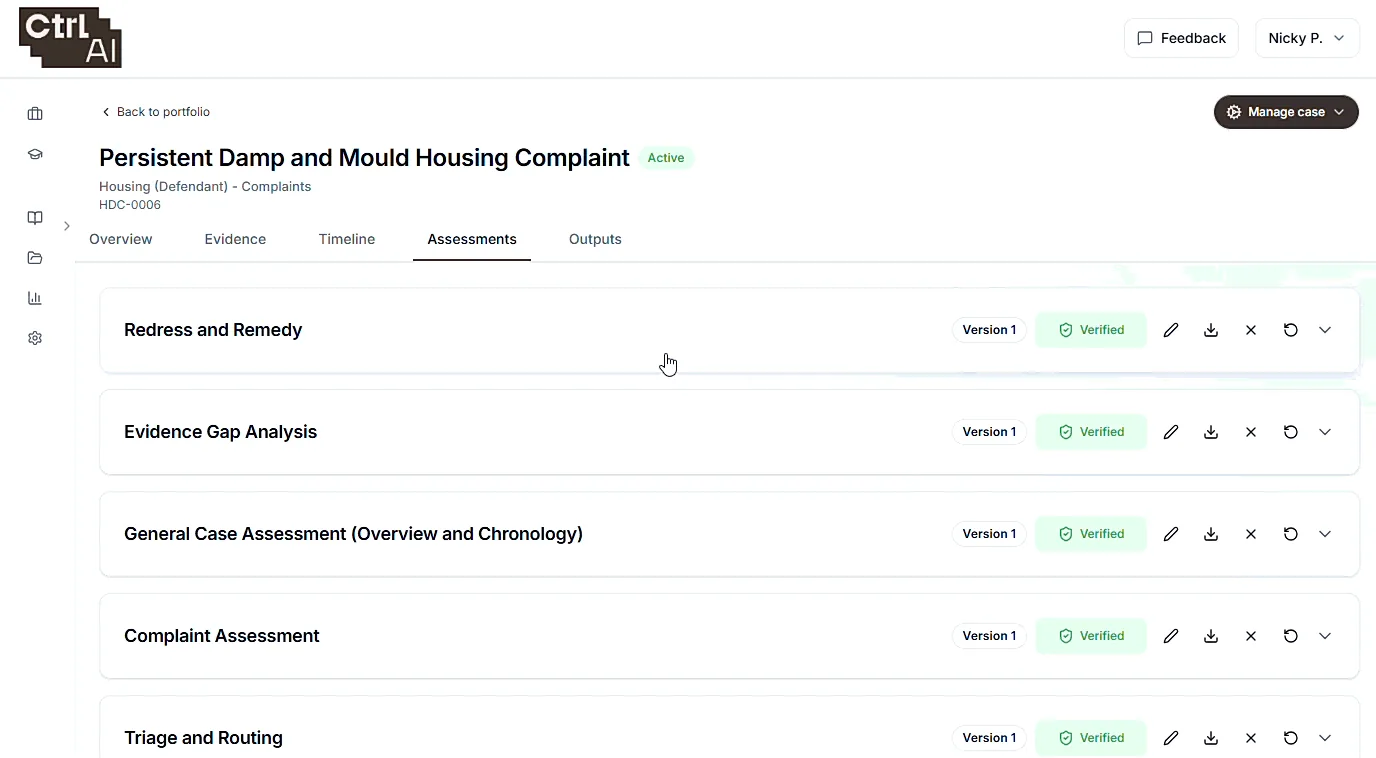
Apply configured questions and knowledge to the case. Give practitioners an assessment they can inspect, challenge and develop.
- Sector and matter-specific playbooks
- Policy and scheme-rule application
- Human review before reliance
Draft outputs from verified work
Draft responses, determinations, decision letters, reports and case summaries from the assessment your team has verified. Every draft links back to the verified findings and evidence it was built from.
Nothing leaves the platform until a named person has approved it, and the audit trail shows who verified the assessment, who edited the draft and who released it.
- Responses, determinations, reports and case summaries
- Each draft linked to the verified assessment behind it
- Approval recorded before anything is exported
- Indexed, paginated bundles exported for counsel, experts or the court
See what keeps going wrong.
Stay in control of AI
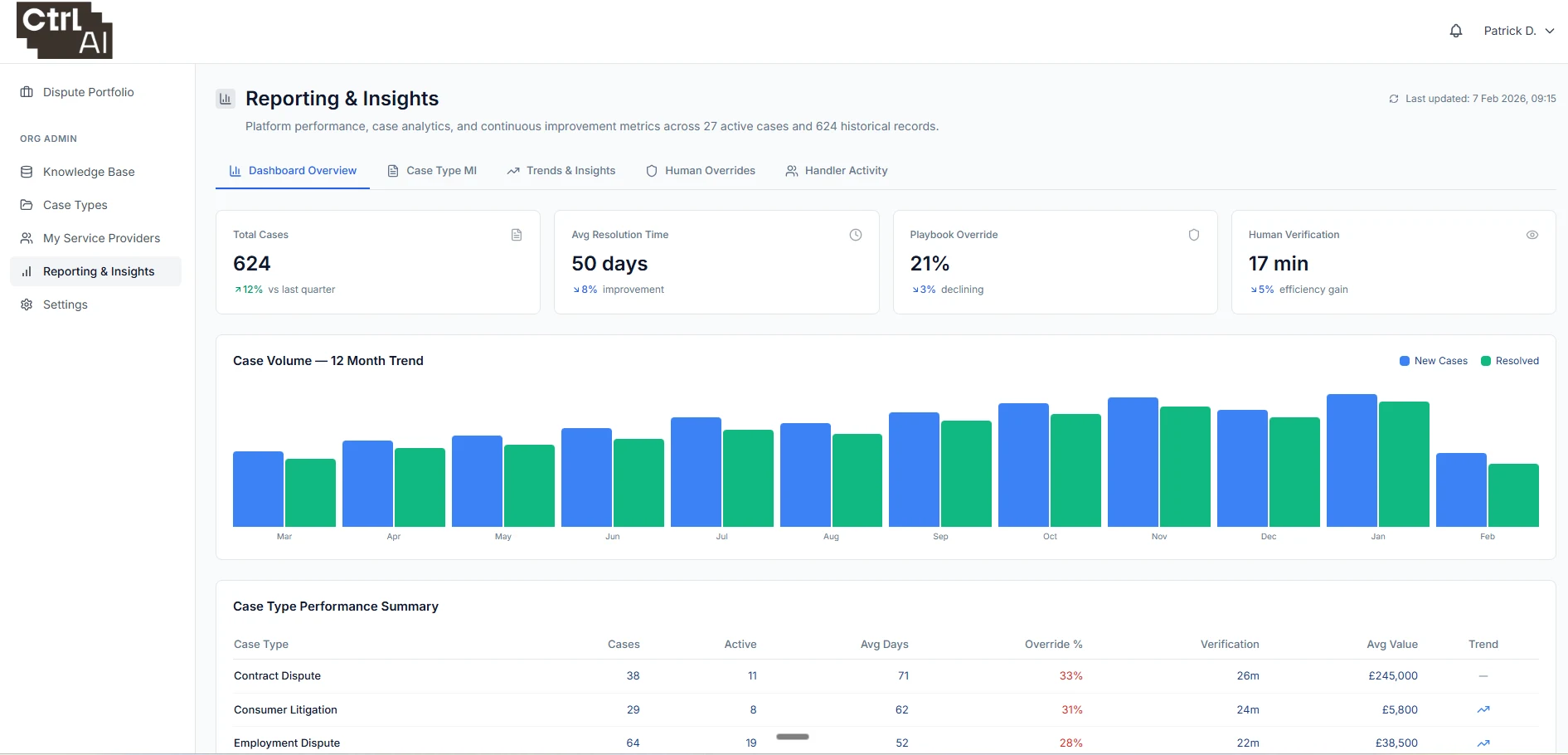
The reporting dashboard shows root causes and trends across your caseload. Because Ctrl AI works inside the analysis of every case, it can surface the issues, failures and patterns that a case management system cannot see, so you can fix problems before they turn into disputes.
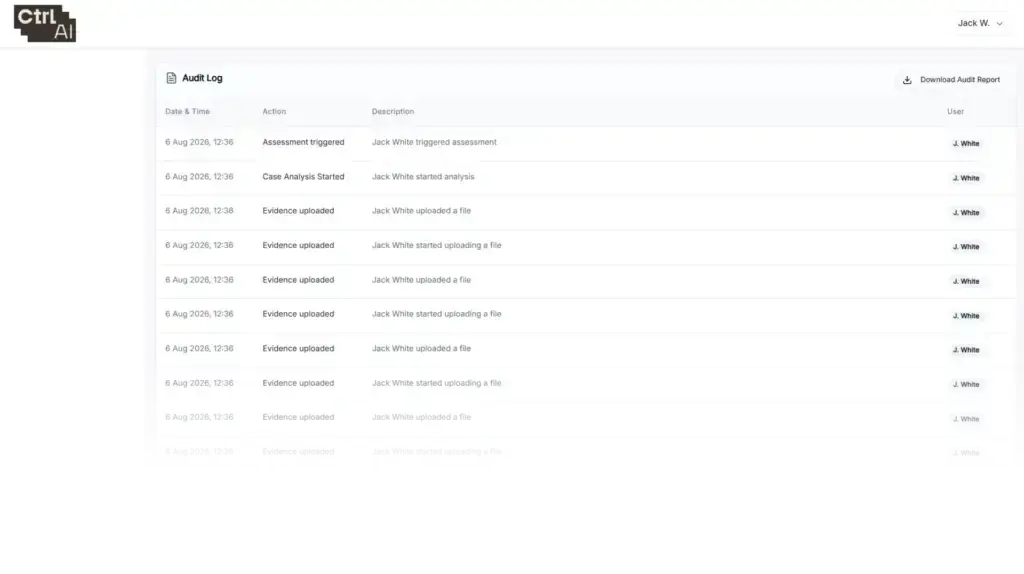
The same reporting shows how people across your organisation use AI: which assessments they verified, what they edited and where they overrode it. You stay in control, with an audit trail back to every interaction between your people and the AI.
- Root cause analysis and trends across cases
- Early signals that help prevent future disputes
- Organisation-level reporting on AI use, verification and edits
- A full audit trail of user interaction with AI
Specialist functionality
Specialist workflows for the document-heavy work that takes the most time in particular sectors, built on the same evidence, assessment and verification core.
Bundling
Turn large, disordered document sets into indexed, paginated bundles your team can rely on.
Split and sort
Large uploads are split into individual documents and sorted by date, author, provider or document type.
Index and paginate
A bookmarked, hyperlinked index with court-compliant pagination, ready for counsel, experts and the court.
Lock and update
Lock a bundle and add later disclosures without renumbering the pages others already rely on.
Duplicates and gaps
Duplicate documents and missing periods are flagged before the bundle goes out.
Contextual redaction
Review records against the request and redact in context, with a reason for every proposal and a person signing off every document.
Understand the request
The request is assessed for requester, scope, dates and people, and staff confirm it before review begins.
Triage every page
Each page is transcribed, exact duplicates are flagged, and each document or page is proposed as in scope, partly in scope, out of scope or privileged, with a reason.
Redact in context
Proposals take account of the request and the surrounding text, people and roles are identified consistently across the records, and configured categories set what is masked and how.
Sign off before release
Text the platform cannot locate is flagged, staff review every document, and nothing is exported without recorded approval.
Medical records
Assessment and analysis across large, complex medical records, so solicitors and experts start from an organised, source-linked view of the care.
Records at scale
Thousands of pages from GP practices, hospital trusts and other providers are split, sorted by provider, indexed and paginated.
Chronology of care
Every consultation, test and treatment in date order, linked to the page it came from, handwritten entries included.
Ask the records
Ask a question of the whole record set and get an answer cited to the page.
Structured assessment
Structured assessments against the medical records, including gap analysis and breach and causation.
Integrations
Your systems and data, in Ctrl AI
Ctrl AI is case management system agnostic. It brings together data from multiple systems through secure integrations, connecting operational platforms, case management systems and document repositories into a single, structured reasoning layer.












See Ctrl AI in your workflow
Bring a case type. Explore the platform with us.