Get on top of every claim from the day it lands
For employment lawyers defending claims, and the teams they work with
Ctrl AI reviews the ET1, disclosure and evidence, and builds a timeline of the matter. It then assesses Acas Code compliance and produces an initial case assessment and a merits assessment against your playbook. Your lawyers verify the analysis and keep control of the advice.
The state of employment disputes
The tribunal system is carrying a record backlog, and the Employment Rights Act 2025 is widening who can bring a claim.
open single Employment Tribunal claims at the end of June 2026, a record and up 51% in a year
MoJ Tribunal Statistics, Sep 2026single claims received in April to June 2026, against 6,100 closed
MoJ Tribunal Statistics, Sep 2026more employees protected from unfair dismissal from 1 January 2027
Government impact assessment, Employment Rights Act 2025The operational challenges, and how Ctrl AI helps
| Operational challenge | leads to | How Ctrl AI helps |
|---|---|---|
More people can bring a claimTime limits rose to six months on 1 October 2026, a new harassment duty starts on 30 October 2026, and from 1 January 2027 unfair dismissal rights start after six months’ service with no cap. | An early view on every claimEach new matter is read on intake, with employment status and key dates pulled out, and an initial case assessment ready for a lawyer to test. | |
More claimants are drafting with AIClaimants are using AI to write their grievances and claims, often without checking what it produces, so a two-page complaint can reach 50 pages. The Employment Appeal Tribunal called one 300-page ChatGPT-generated skeleton argument “entirely unacceptable”. | The real issues, tested against the evidenceCtrl AI quickly identifies the root issues within an AI-drafted claim, then assesses whether each one is supported by the evidence, with every point linked to the document behind it. | |
A procedural breach can raise the awardA breach of the Acas Code can add up to 25% to an award. | Procedural gaps found before you defendThe Acas Code check tests the disciplinary or grievance process against the Code of Practice and flags where it may fall short, before you commit to a defence. | |
Hearings are years awaySome final hearings are now being listed for 2029. | Everything stored with the matter until the hearingVerified assessments and the activity history are stored with the matter, so whoever picks it up before the hearing can see what was found and who checked it. | |
Facts are scattered across documentsEmails, meeting notes, message exports and HR records sit in separate documents, and the story is pieced together again before every hearing. | One chronology from every documentYour team uploads the documents and Ctrl AI builds one searchable chronology from the dates inside them. | |
Every lawyer runs the matter differentlyJunior and senior fee earners take different routes through the same type of matter. | Every matter run to your playbookEach claim is assessed issue by issue against your playbook, with reasoning and citations a lawyer can test, and a named lawyer checks every output. |
The platform, set up for employment disputes
Configured to your playbook, your templates and the way your team runs a matter.
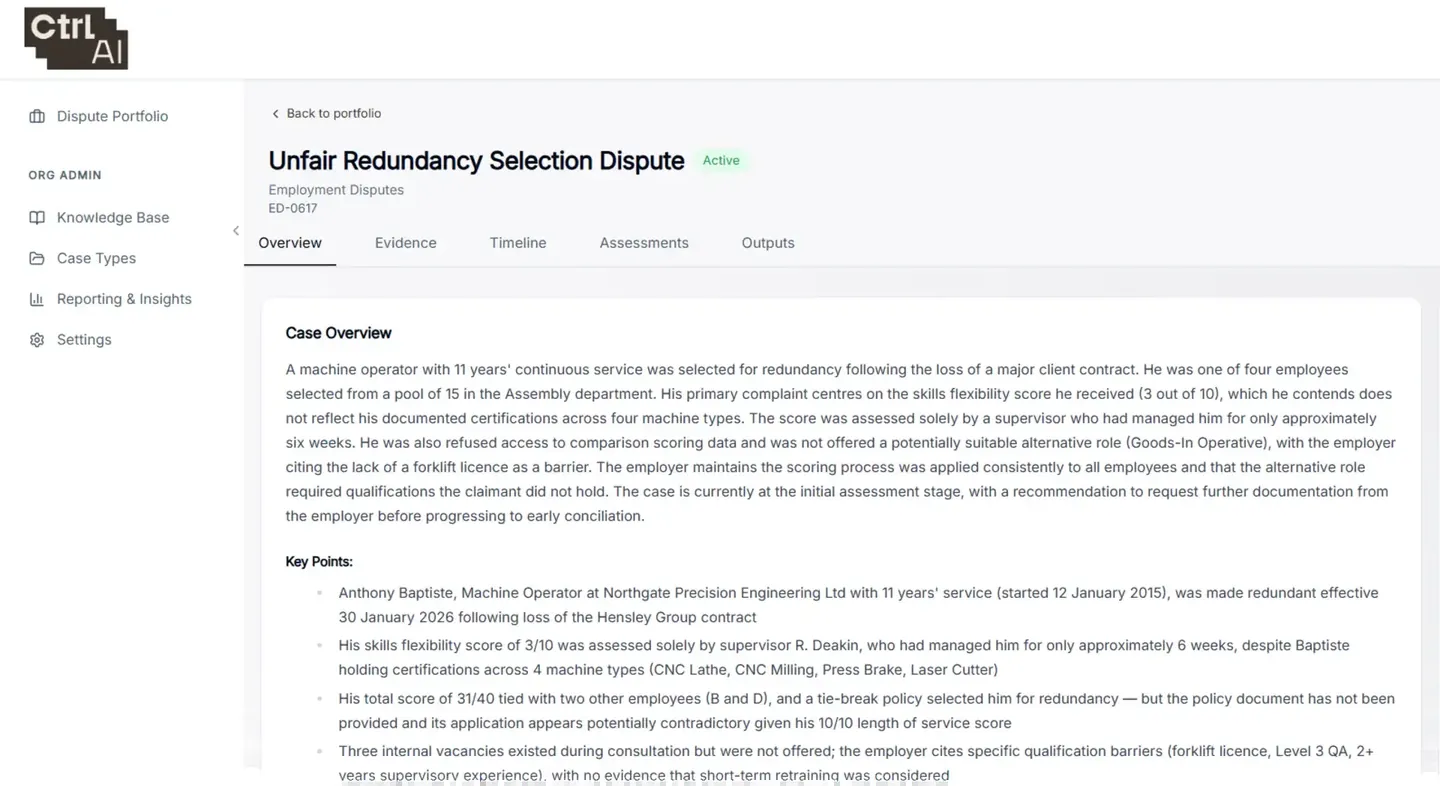
Claim intake
Reads the ET1, disclosure and evidence, including emails and handwritten notes. Each document is titled and summarised on upload.
Case fields
Pulls out the Acas early conciliation reference, employment status, dates of service and hearing dates.
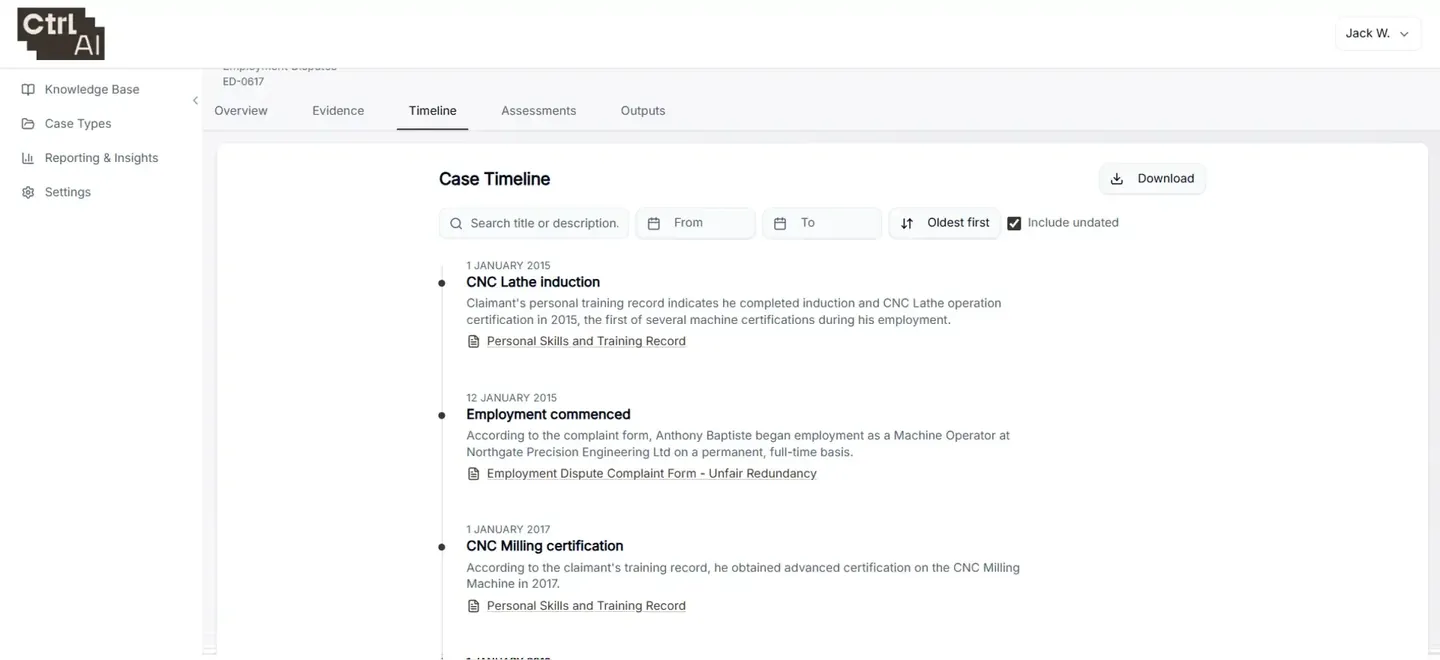
Chronology
A searchable timeline built from the dates inside the documents.
Acas Code compliance check
Tests the disciplinary or grievance process against the Acas Code of Practice and flags the gaps.
Case and merits assessment
Issue-by-issue analysis of each claim against your playbook, with reasoning and citations a lawyer can test.
Drafting
Draft grounds of resistance built from the verified assessment.
Verification and audit trail
Every output is checked by a named lawyer, and the activity history records who reviewed what and when.
Subject access requests
Employee SARs that arrive alongside a claim run in the same platform, with reviewed redaction.
Frequently asked questions
Does Ctrl AI give the advice?
No. It reviews the ET1, disclosure and evidence, builds the timeline and runs your playbook. A named lawyer checks every output, and the advice stays with your lawyers.
Is it for law firms or in-house teams?
Both. Firms get a consistent first analysis on every matter, so fee earners spend their time on advice. In-house teams see every live claim and grievance in one place and brief external lawyers with an organised, verified record of the matter.
How is it priced?
Per matter. Law firms can pass the cost to the client as a disbursement.
Will it work with our existing systems?
Yes. It works alongside HighQ and your existing workflows, or as a standalone workspace with document upload.
Can it handle long, AI-drafted claims?
Yes. It identifies the root issues within the claim, then assesses whether each one is supported by the evidence, with every point linked to the document behind it so a lawyer can test it.
Employment matters involve sensitive data. Where is it held?
Client data is stored in the UK and processed in the EU, encrypted at rest and in transit, and never used to train AI models. Employee subject access requests that arrive with a claim run in the same platform, with reviewed redaction. Information security
See Ctrl AI on an employment matter
Start with a no-commitment trial on your own closed matters.