Respond to every subject access request on time, with nothing missed
For HR, data protection and complaints teams, and the law firms that support them
Upload the request, your guidance and the records. Ctrl AI proposes what is in scope and what to redact, with a reason for each decision. Your reviewers check every document and sign off the response.
The state of subject access
Requests are broader, complaints about them have surged and the law changed in 2025.
from this date every organisation must run a data protection complaints process
Data (Use and Access) Act 2025The operational challenges, and how Ctrl AI helps
| Operational challenge | leads to | How Ctrl AI helps |
|---|---|---|
The rules on searches have changedSearches must be reasonable and proportionate, the clock can stop while you clarify a request, and a complaints process is now required. | Searches scoped before they startThe request assessment proposes the requester, scope, dates, people and systems to search, staff accept it before any documents are added, and every later proposal carries its reason. | |
Requests ask for everything“All emails, notes and metadata”, often AI-drafted and arriving alongside a grievance or claim. | Everything triaged, page by pageEvery page is transcribed and exact duplicates flagged, then each document or page is proposed as in scope, partly in scope, out of scope, uncertain or privileged, with a reason. | |
Review is where the cost sitsIn one published law firm example, a minor grievance meant 10,000 emails and 800 documents to review, at an estimated £9,000. | Review starts from a reasoned proposalReviewers work from a proposal on every page, each with its reason, and people and roles are identified consistently across the records. | |
Redaction can fail both waysA missed redaction is a data breach, and heavy redaction without context can still fail, as in Ashley v HMRC (2025). | Redaction checked both ways before exportEach disclosure or redaction is proposed in context with a reason, any text the platform cannot locate is flagged, and staff review every document before export. |
The workflow
AI prepares. Your staff decide. Configured for employee, consumer and housing subject access requests, and for FOI.
Understand the request
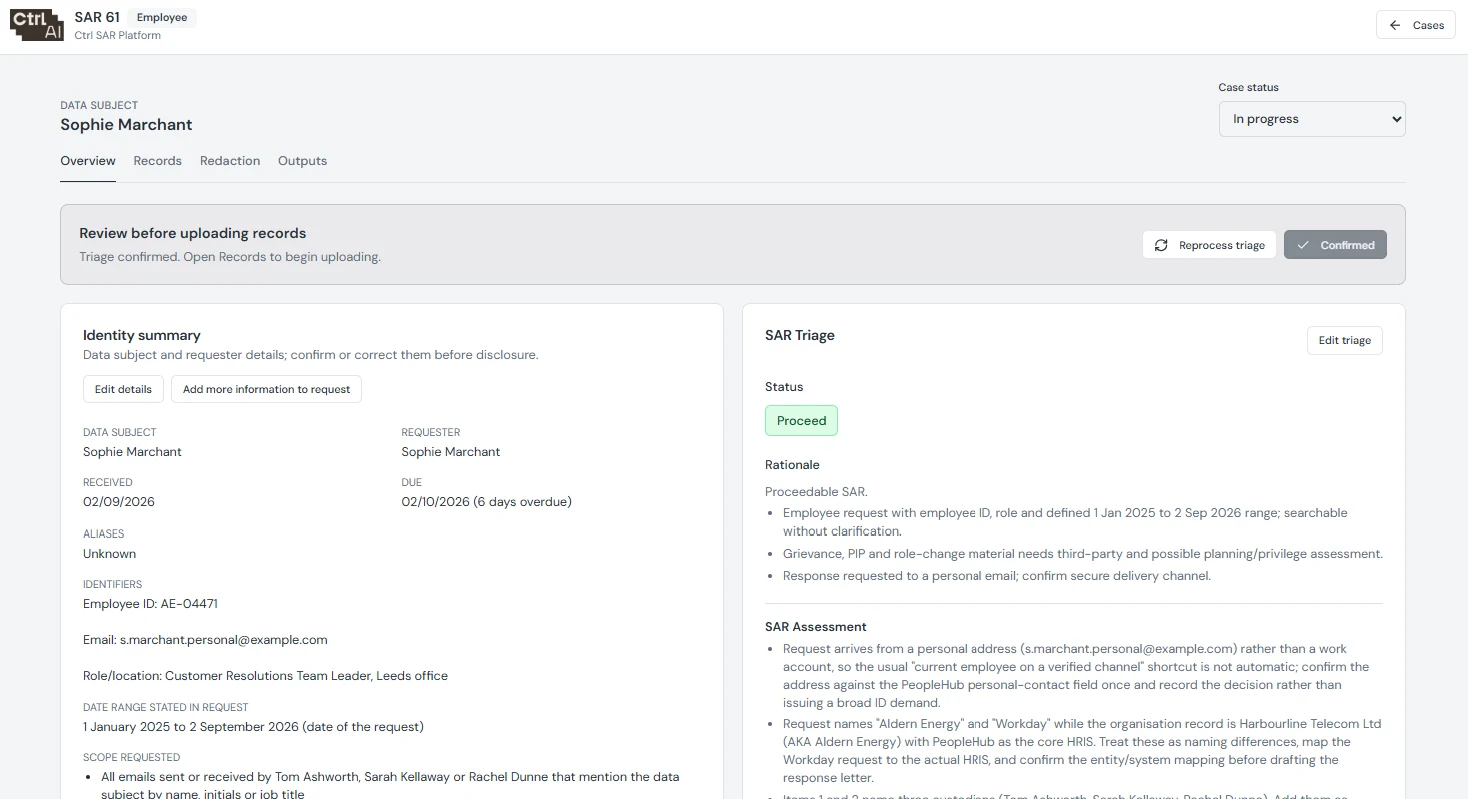
AI proposes the requester, scope, dates, people and systems to search. Staff accept the request assessment before any documents are added.
Collect the records
AI suggests where to search. Staff run the searches and upload the records; the workflow does not connect to your source systems.
Read the documents
Every page is transcribed, exact duplicates are flagged and the position of the text is recorded so redaction masks land in the right place.
Assess relevance and privilege
Documents or pages are proposed as in scope, partly in scope, out of scope, uncertain or privileged, with reasons. People and roles are identified consistently across the records.
Propose contextual redactions
AI recommends disclosure or redaction with a reason. A separate step finds the exact text without changing that decision, and anything it cannot find is flagged.
Review every document
Staff record a review on every document before export, and sign off the decisions.
Prepare the response
AI drafts the response letter and the platform builds a disclosure pack with a cover page and index. Staff approve the letter before it can be downloaded.
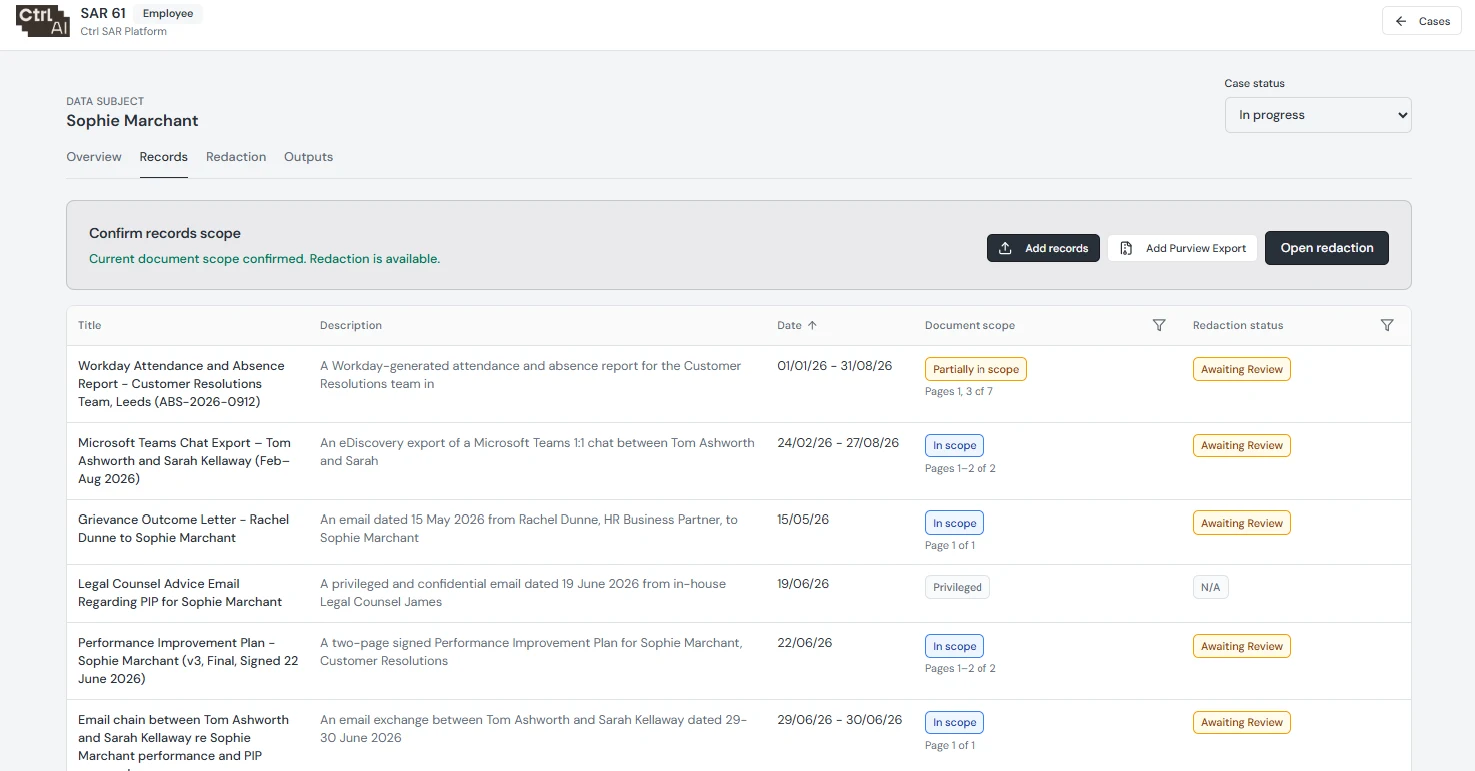
Each configuration carries your organisation’s guidance and regulator guidance, an outline of the systems and data involved, and redaction categories with a name, mask and description.
Frequently asked questions
Does Ctrl AI decide what is disclosed?
No. It proposes what is in scope and what to redact, with a reason for each. Your reviewers record a review on every document and sign off the response before anything can be exported.
Does it search our systems for us?
No. It suggests where to search, and your staff run the searches and upload the records. The workflow does not connect to your source systems.
What if it can’t find the text to redact?
It flags it for a reviewer instead of guessing where the redaction should go.
Which kinds of request does it handle?
Employee, consumer and housing subject access requests, and FOI. Each is configured with your guidance, regulator guidance and your own redaction categories.
What do we send the requester?
Ctrl AI drafts the response letter and builds a disclosure pack with a cover page and index. Staff approve the letter before it can be downloaded.
Where are the records held, and are they used to train AI?
Client data is stored in the UK and processed in the EU, encrypted at rest and in transit, and never used to train AI models. We are ISO 27001 certified, and our information security pack is available on request.
See the workflow on a sample request
We will run a representative request through the platform with you, using test data.